Everyone should be able to participate in digital life.
Unfortunately, this is often not the case for people with complex accessibility needs. Join-In Pro is a software solution designed to overcome this challenge and allow AAC and non AAC users to engage, experience and enjoy Digital Life. Join-In Pro is the latest addition to Join-In.
Join-In Pro creates an accessible, simple, and consistent digital environment for using popular apps and websites. The environment is optimized for people with complex disabilities and for AAC users.
The three design principles are:
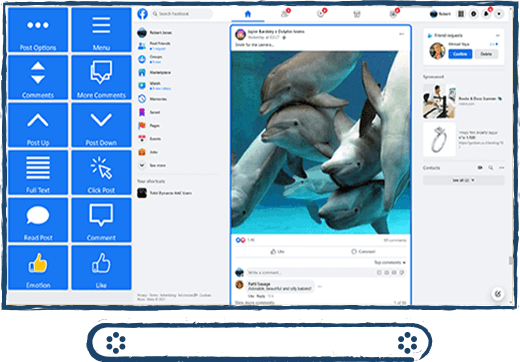
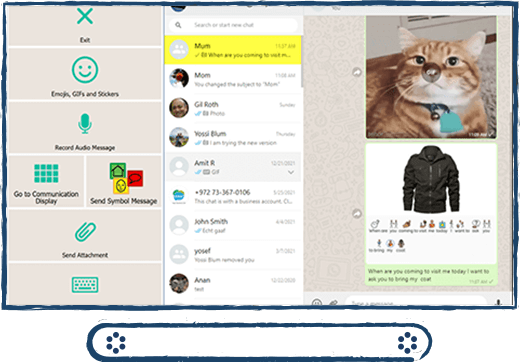
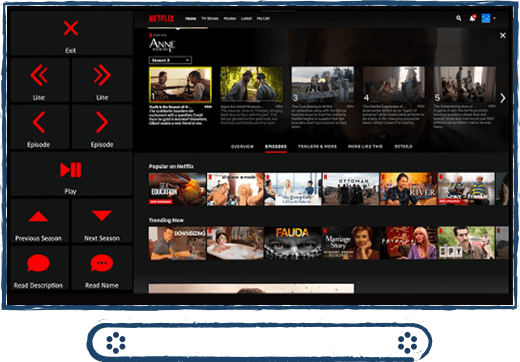
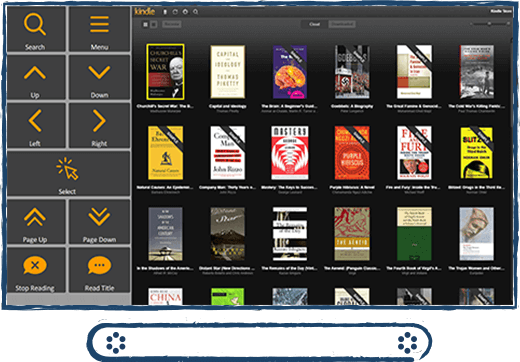
Accessibility – Join-In Pro supports a wide range of sensory, cognitive, and physical access needs. Each app is paired with a specifically designed dynamic toolbar, offering convenient interaction with the app via large buttons. Key objects in the browser area are highlighted and, in some cases, enlarged to allow user-friendly navigation and selection.
Simplicity – the dynamic toolbars make the most common actions on each screen easy to find and perform. Special controls provide simplified access to advanced functions, and to functions that are difficult to execute using certain input devices, e.g., switch scanning, eye tracking, etc.
Consistency – while each app has its own dynamic toolbar, the design of the different toolbars is consistent across apps – e.g., the location of buttons related to common functionality, the logic behind common flows, and the icons. This makes the learning process easier.
Join-In Pro is designed for people with complex accessibility needs regardless of their age & literacy skills. It is a Windows-based solution for both AAC and non-AAC users.